🛡️ GTMods Verified Working Mod (2026)
- Status: Verified Working on Gorilla Tag Unity 2022.3 LTS
- Platform: PCVR (SteamVR, Oculus Link, Virtual Desktop)
- Safety Scan: Clean (0/72 VirusTotal Detections)
- Installation: Requires BepInEx v5.4.21+ via Monke Mod Manager
You do not always need a VR headset to play. Maybe your battery died. Maybe you just want to test something quickly. The Gorilla Tag Walk Simulator Mod is the solution.
This mod lets you play the game using your PC controls. You use a keyboard and mouse instead of motion controllers. It was originally created by KyleTheScientist.
It is perfect for content creators or testing mods. You can run, jump, and climb using standard FPS controls.
What Does This Mod Do?
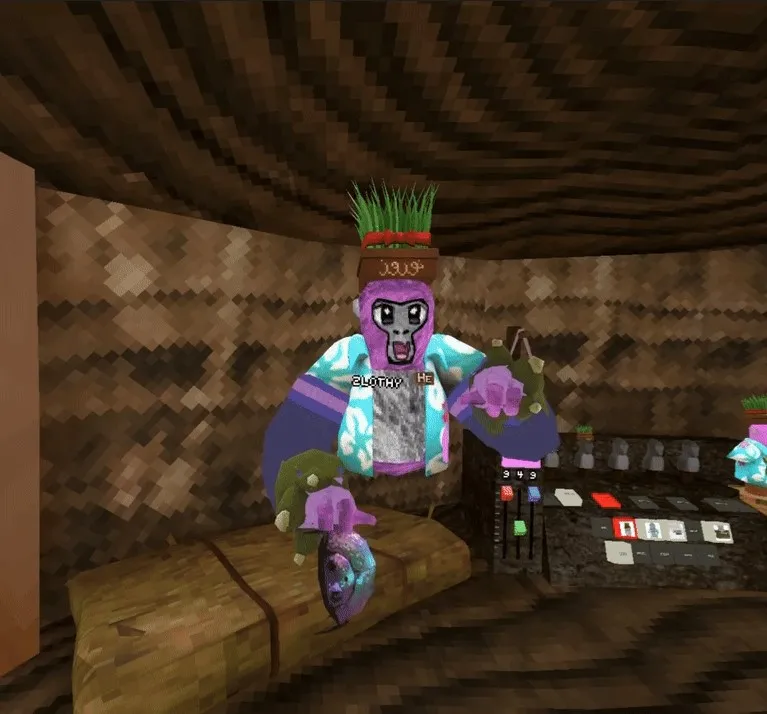
This mod converts Gorilla Tag into a desktop game. You control the gorilla with WASD keys.
It effectively simulates VR movement. You can interact with the computer, press buttons, and even use emotes.
Important Safety Note: This mod is for Modded Lobbies only. If you try to join a public, non-modded room, the mod will disconnect you. This protects you from getting banned.
Key Features
- No Headset Needed: Play entirely on your flat screen.
- Multiple Modes: Switch between Walking, Flying, and Posing.
- Third Person View: See your gorilla from the outside (Press C).
- Full Interaction: You can still tag players and use the game computer.
Mod Controls Guide
The controls are simple if you play PC games. Here is the full list.
General Controls
- Hold Tab: Open Mode Select Menu (Hover to pick a mode).
- C: Toggle First/Third Person view.
- Esc: Unlock the mouse cursor.
- 1-9: Play Emotes.
1. Walk Mode (Standard Gameplay)
Use this to play like a normal FPS game.
- WASD: Move around.
- Space: Jump.
- Shift: Sprint (Run faster).
- Ctrl: Crouch.
2. Fly Mode (Creative)
Use this to float around the map. Good for taking screenshots.
- WASD: Move horizontally.
- Space: Fly Up.
- Ctrl: Fly Down.
- N: Toggle No Clip (Walk through walls).
3. Interaction Mode
Use this to press buttons or tag players.
- Left/Right Click: Press button or object (Must look at the collider).
- Esc: Unlocks mouse to point with cursor instead of center screen.
4. Computer Mode
Use this to type on the in-game keyboard.
- E: Enter Computer (When close to it).
- Esc: Exit Computer.
- Keys (A-Z, 0-9): Type normally.
- Backspace: Deletes text.
- Arrows: Scroll Page Up/Down.
- F1-F3: Select Option 1, 2, or 3.
5. Pose Mode
This is for advanced users. It controls individual fingers.
- Mouse Movement: Move hands.
- Scroll Wheel: Move hands forward/backward.
- Left Click: Curl Index Finger.
- Right Click: Curl Middle/Pinky Finger.
- Q: Switch Active Hand.
- Hold R: Rotate Hand.
Latest Update: V1.0.4 (Super Infection Patch)
The game updates often. This mod has been patched to work with the latest version.
- Fixed: Compatible with the new “Super Infection” gamemode update.
- Stability: Reduced crashes when joining lobbies.
Download Walk Simulator Mod
| Mod Name | Walk Simulator |
| File Size | 107.22 KB |
| Updated On | January 25, 2026 |
How to Install
You need a PC for this. It does not work on standalone Quest.
- Install Mod Manager: Download and install [Monke Mod Manager].
- Download Mod: Get the file from the box above.
- Locate Folder: Open your game folder >
BepInEx>plugins. - Copy File: Drag
WalkSimulator.dllinto the plugins folder. - Launch: Start the game and press Tab to verify it works.
If you are confused about folders, read our guide on How To Get Mods On Gorilla Tag.
Frequently Asked Questions
No. The mod forces you into Modded Lobbies. If you force a join into a public lobby, it will kick you out.
No. You can launch the game in “Desktop Mode” via SteamVR or Oculus. The mod takes over the controls.
Press Esc to unlock your mouse cursor. This lets you use the Windows UI or interact with menus.
Conclusion
The Gorilla Tag Walk Simulator mod changes how you play. It is great for recording videos or playing when you are tired.
Give your legs a break. Download the mod and start running with your fingers.