🛡️ GTMods Verified Working Mod (2026)
- Status: Verified Working on Gorilla Tag Unity 2022.3 LTS
- Platform: PCVR (SteamVR, Oculus Link, Virtual Desktop)
- Safety Scan: Clean (0/72 VirusTotal Detections)
- Installation: Requires BepInEx v5.4.21+ via Monke Mod Manager
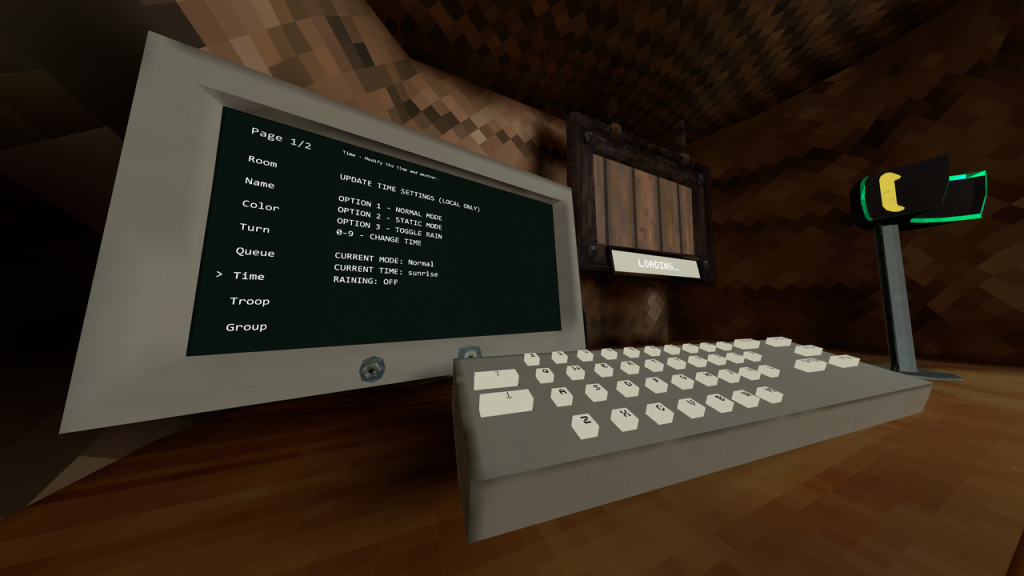
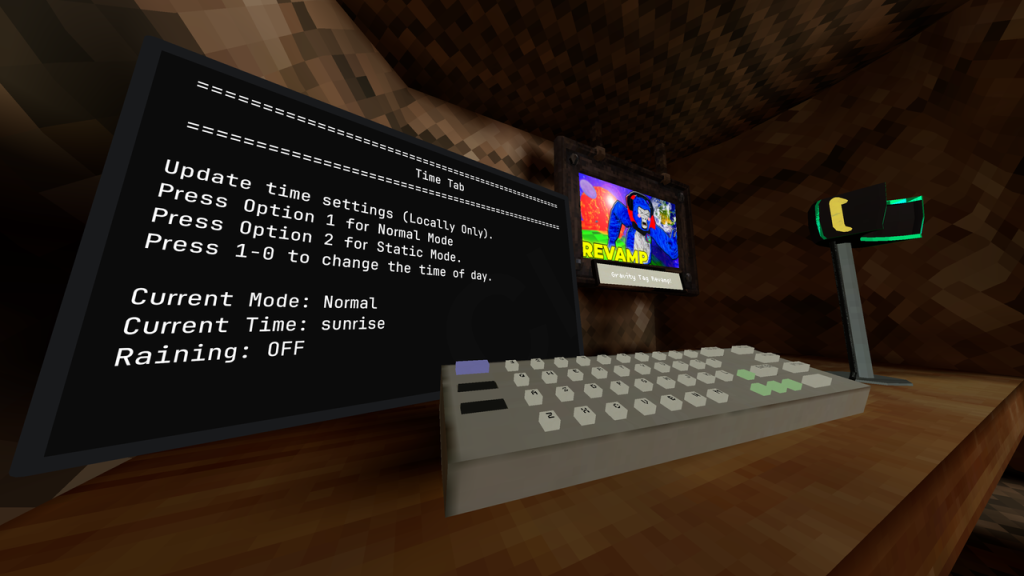
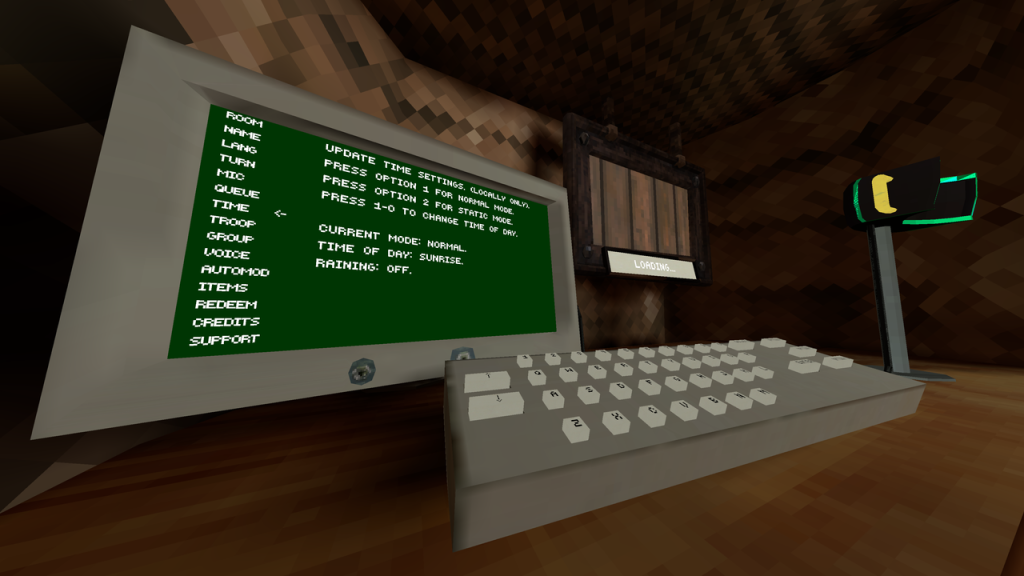
TimeTab brings back the disabled TIME tab on the Gorilla Tag in-game computer. It’s a small compatibility mod, not a standalone menu — it works alongside the default computer, ComputerInterface, or GorillaComputer, whichever you already have installed. Here’s what it does and how to get it running.
What Is TimeTab?
TimeTab is a lightweight add-on that re-enables the TIME tab, a feature that exists in the game’s computer code but is disabled by default. It doesn’t replace your computer mod — it just restores this one missing tab on top of whichever computer setup you’re already running.
Supported Computers
TimeTab is built to work across three different computer setups:
| Computer | Support |
|---|---|
| Default Gorilla Tag computer | Supported |
| ComputerInterface by ToniMacaroni | Supported |
| GorillaComputer by Struct | Supported |
Note: If you’re running ComputerInterface, the TIME tab appears inside the Game Settings screen, not as its own top-level entry — look there first if you don’t see it right away.
Screenshots
Is TimeTab Safe?
TimeTab only restores an existing, disabled UI tab — it doesn’t add movement, visual, or gameplay changes on its own. As with any mod, only install it from the official source linked below, and keep in mind mods can still get you flagged in public lobbies if your server enforces vanilla-only play.
How to Install TimeTab
- Make sure BepInEx is installed, and that your computer mod of choice (default, ComputerInterface, or GorillaComputer) is already set up.
- Download
TimeTab.dllfrom the link below. - Move the file into your
Gorilla Tag\BepInEx\plugins\folder. - Launch Gorilla Tag and open your in-game computer — look under Game Settings if you’re on ComputerInterface, or check the main tab list otherwise.
Download TimeTab for Gorilla Tag
| Mod Name | TimeTab |
| File Size | 14.24 kb |
| Updated On | August 13, 2026 |
Reporting Issues
Found a bug or a compatibility problem with your computer setup? Report it on the TimeTab GitHub Issues page rather than in comments — it’s the fastest way to get it looked at.
Frequently Asked Questions
Yes — it’s one of the three supported setups, alongside ComputerInterface and GorillaComputer.
It’s located inside the Game Settings screen, not as a separate top-level tab.
No — TimeTab also works with the default, unmodified Gorilla Tag computer.
On the TimeTab GitHub Issues page.
Conclusion
TimeTab is a small, focused fix that brings the TIME tab back regardless of which computer mod setup you’re running. Download it below, and check out our Computer Interface guide if you don’t have a computer mod installed yet.